> ## Documentation Index
> Fetch the complete documentation index at: https://docs.lute.gg/llms.txt
> Use this file to discover all available pages before exploring further.
# Token Scanner
> Automatic token analysis in Discord
The token scanner automatically analyzes any token posted in your Discord channels, providing instant comprehensive information.
## How It Works
Share any token contract or link in Discord
Lute Synapse automatically recognizes the token
Real-time market data and analysis fetched instantly
Comprehensive information with interactive trading buttons
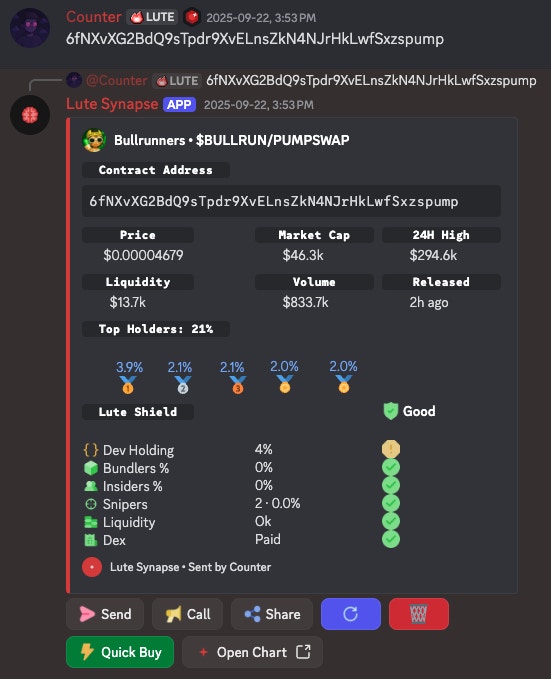 The scanner works for all users, even those without linked accounts. It's a great way to introduce your community to Lute's capabilities.