> ## Documentation Index
> Fetch the complete documentation index at: https://docs.lute.gg/llms.txt
> Use this file to discover all available pages before exploring further.
# Wallet Manager
> Balances, PnL, positions, and per‑network controls
Your central hub for managing all wallets across different blockchain networks with detailed analytics and performance tracking.
## Overview
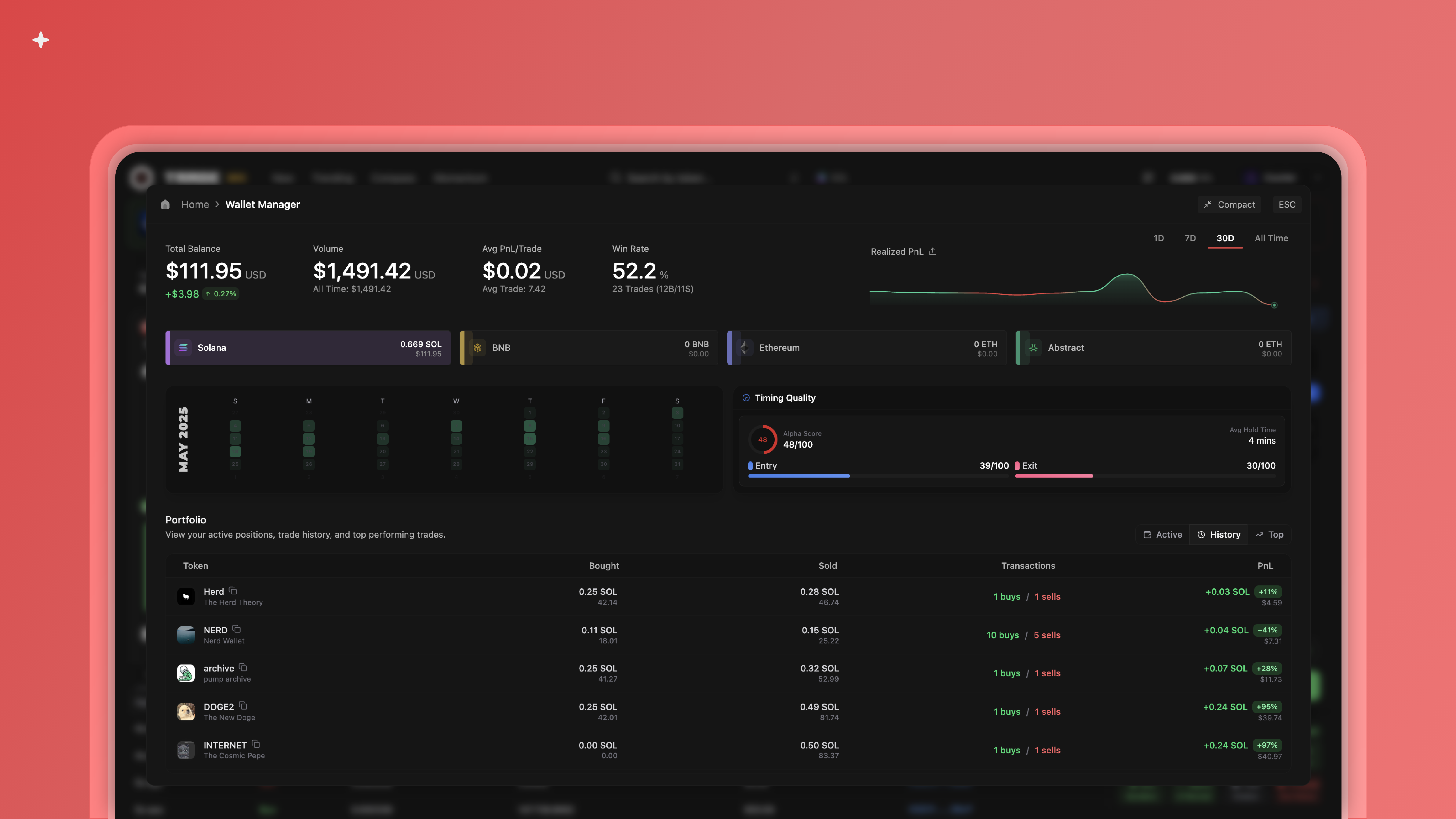
Track realized PnL, active positions, historical trades, and top performers
View balance, volume, win rate, quality score, and entry/exit performance
 ## Select Your Network
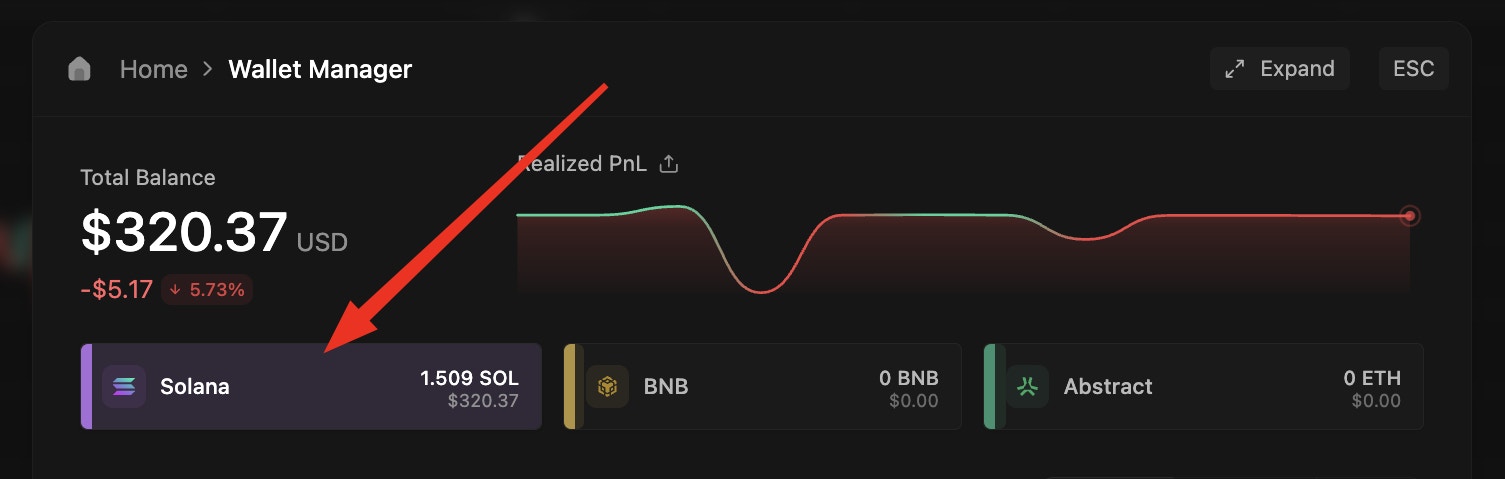
Choose a network to manage wallets for that specific chain.
## Select Your Network
Choose a network to manage wallets for that specific chain.
 ## Manage Your Wallets
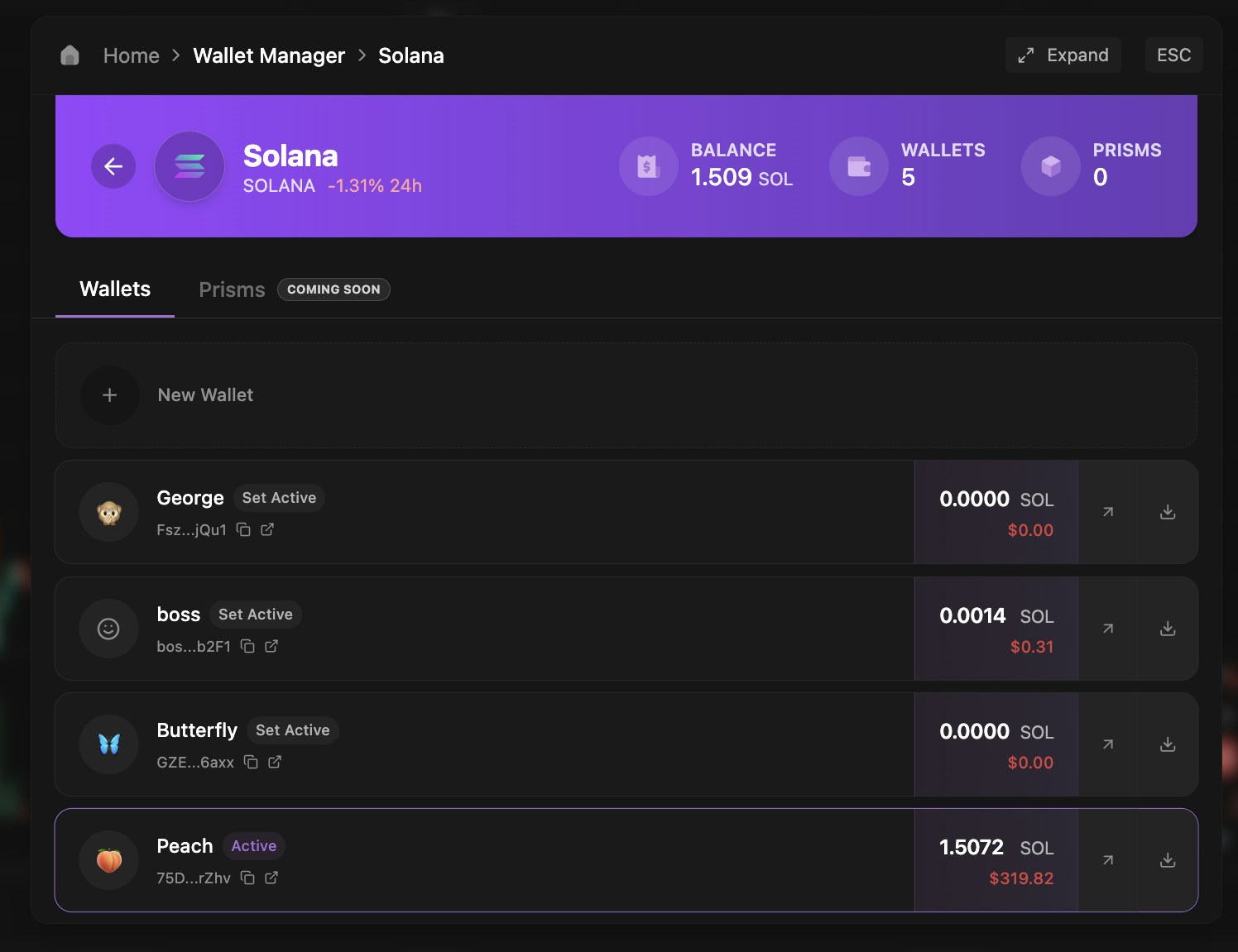
Create new wallets, import existing ones, export private keys, and switch your active wallet.
## Manage Your Wallets
Create new wallets, import existing ones, export private keys, and switch your active wallet.
 ## Create Wallet
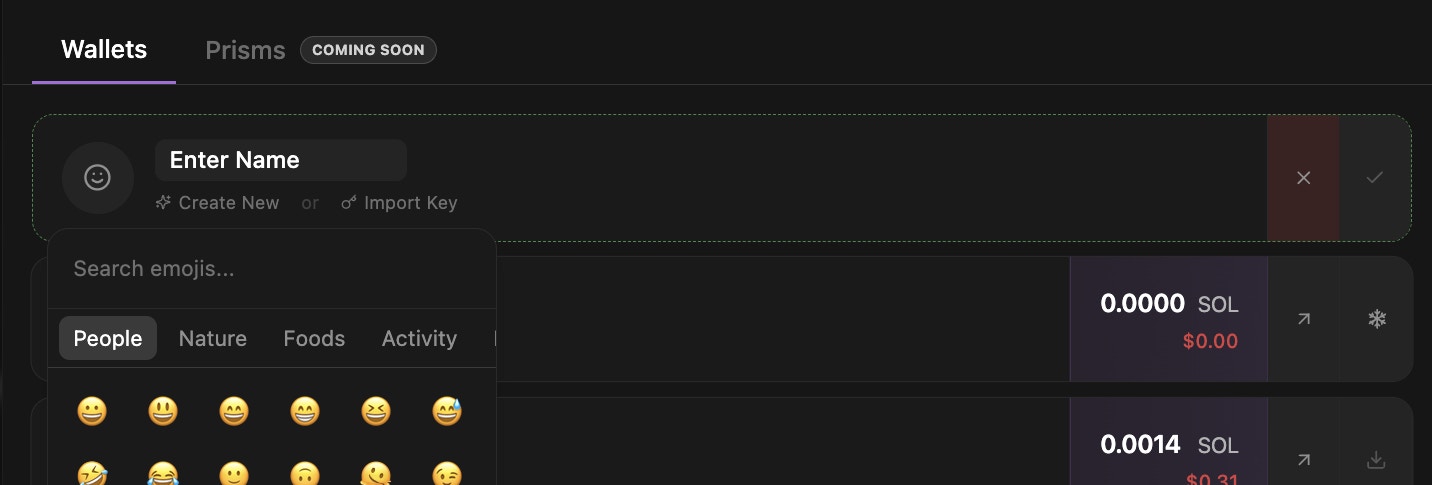
Generate a fresh wallet instantly with:
* Custom emoji selector for visual identification
* Personalized wallet name
* Secure key generation
Your emoji and name will display throughout Lute for easy wallet recognition
## Create Wallet
Generate a fresh wallet instantly with:
* Custom emoji selector for visual identification
* Personalized wallet name
* Secure key generation
Your emoji and name will display throughout Lute for easy wallet recognition
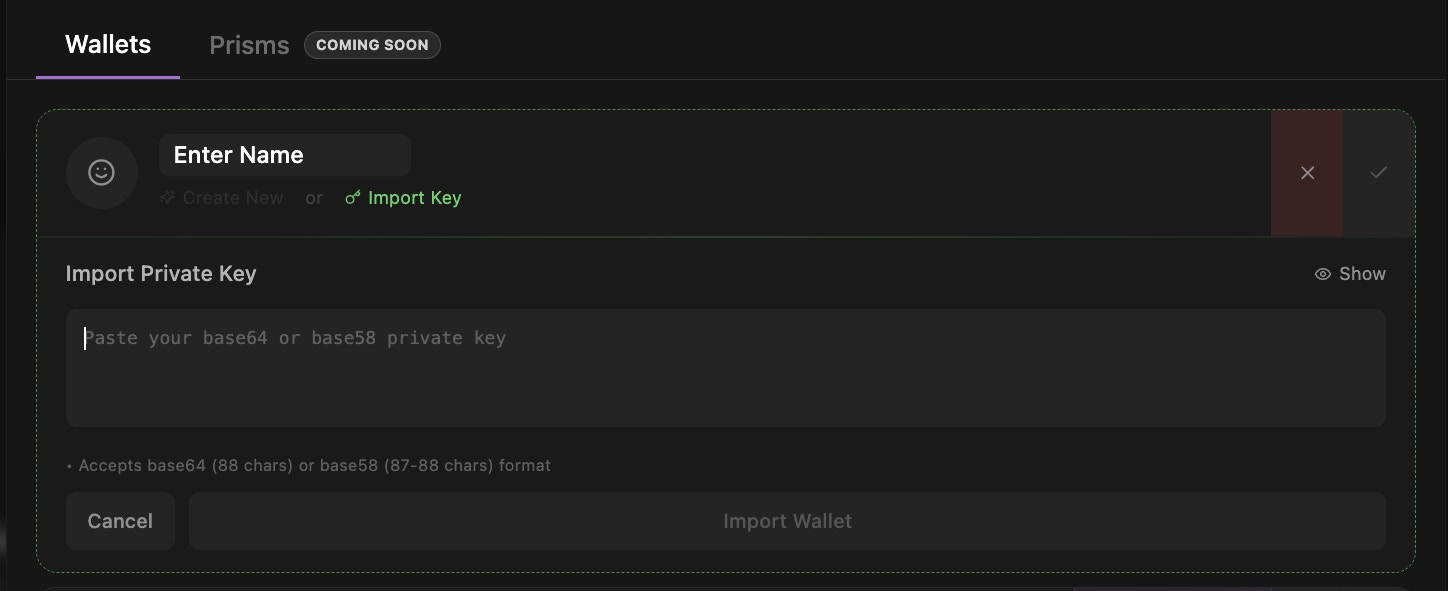
 Import your existing wallet by:
* Entering your private key securely
* Customizing with emoji and name
* Maintaining full control of your assets
Never share your private key with anyone. Lute uses secure encryption to protect your keys.
Import your existing wallet by:
* Entering your private key securely
* Customizing with emoji and name
* Maintaining full control of your assets
Never share your private key with anyone. Lute uses secure encryption to protect your keys.
 ## Export & Archive
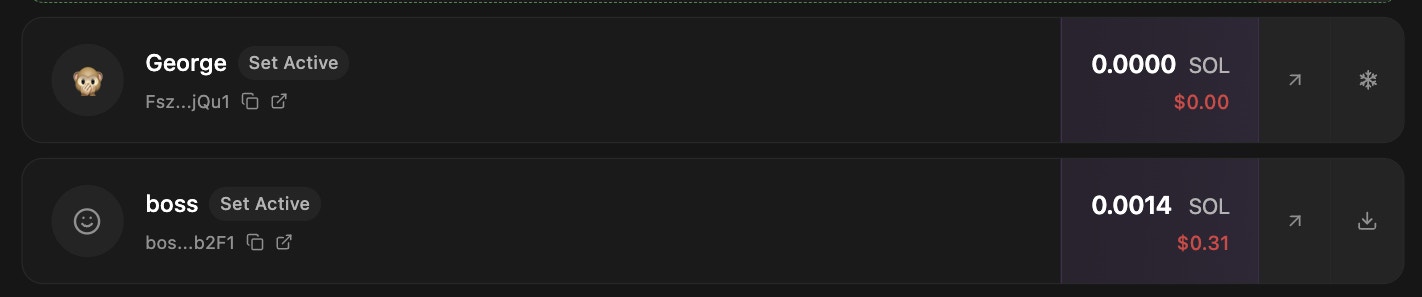
**Snowflake Icon**: Archive inactive wallets. Must export before freezing unless previously imported.
**Export Icon**: Export your wallet's private key through a secure verification process.
You must export your wallet first before archiving to maintain access to your funds.
## Export & Archive
**Snowflake Icon**: Archive inactive wallets. Must export before freezing unless previously imported.
**Export Icon**: Export your wallet's private key through a secure verification process.
You must export your wallet first before archiving to maintain access to your funds.
 ## Withdraw Funds
Press the **Withdraw button** (second button from the right) to transfer funds to another Lute wallet or external address.
Transfer funds between your wallets or send to any external address with just a few clicks.
## Withdraw Funds
Press the **Withdraw button** (second button from the right) to transfer funds to another Lute wallet or external address.
Transfer funds between your wallets or send to any external address with just a few clicks.
 Withdrawals usually complete in under 30 seconds, but may take longer in some cases.