> ## Documentation Index
> Fetch the complete documentation index at: https://docs.lute.gg/llms.txt
> Use this file to discover all available pages before exploring further.
# Trade Settings
> Priority fees, slippage, and preset sizes per network
Configure your trading parameters and execution preferences for each network.
## Trading Presets
Manage your trading presets to quickly execute trades with your preferred settings. Create new presets, edit existing ones, or delete those you no longer need.
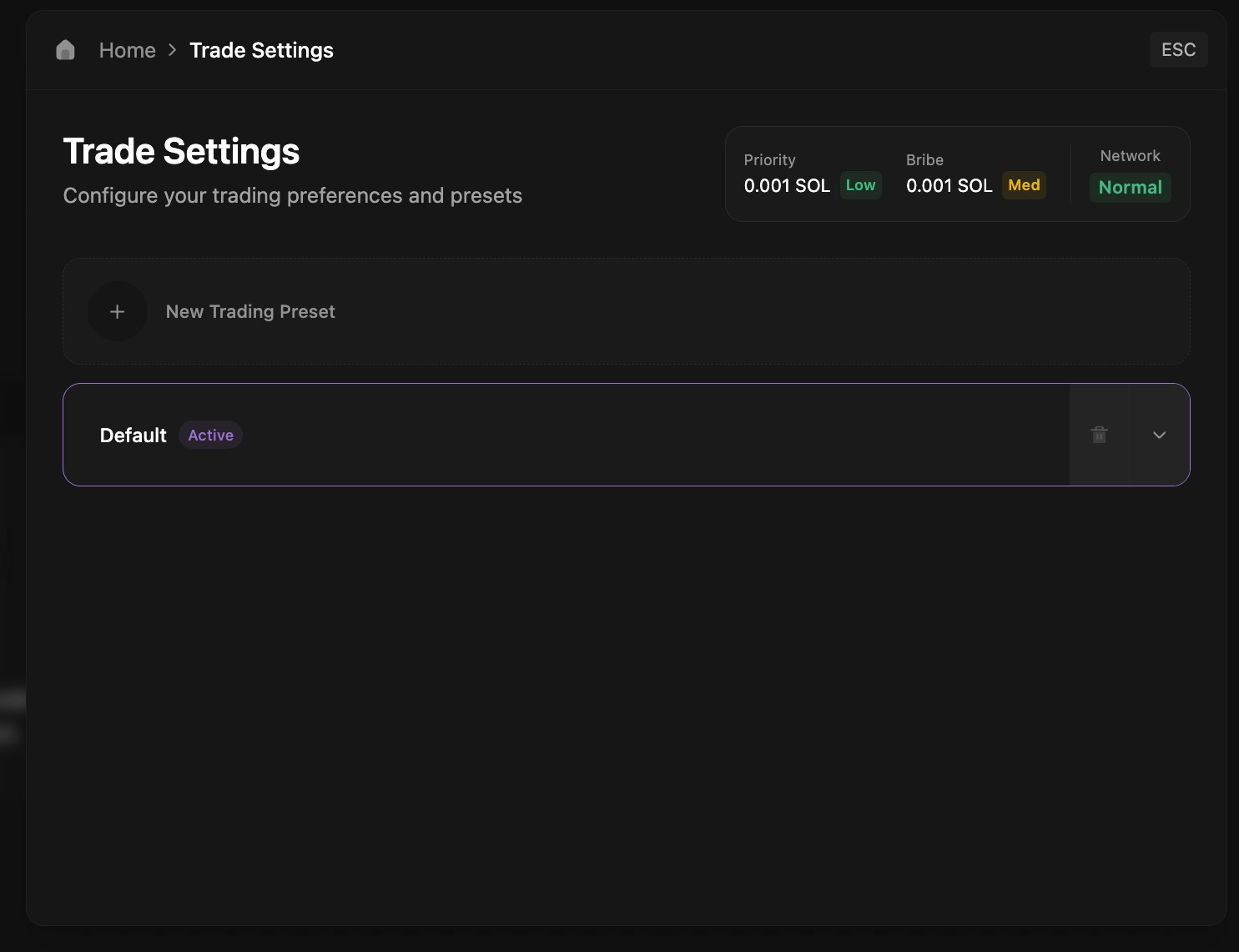 ## Configuration Options
Press the down arrow to expand and configure all your trading settings including:
* **Priority Fees** - Set gas priority and bribe amounts for faster execution (we recommend at least 0.001 for bribe fee)
* **Slippage Tolerance** - Configure maximum acceptable price impact
* **Preset Buy Amounts** - Define quick-buy amounts for one-click trading
* **MEV Protection** - Enable protection for both buy and sell sides
## Configuration Options
Press the down arrow to expand and configure all your trading settings including:
* **Priority Fees** - Set gas priority and bribe amounts for faster execution (we recommend at least 0.001 for bribe fee)
* **Slippage Tolerance** - Configure maximum acceptable price impact
* **Preset Buy Amounts** - Define quick-buy amounts for one-click trading
* **MEV Protection** - Enable protection for both buy and sell sides
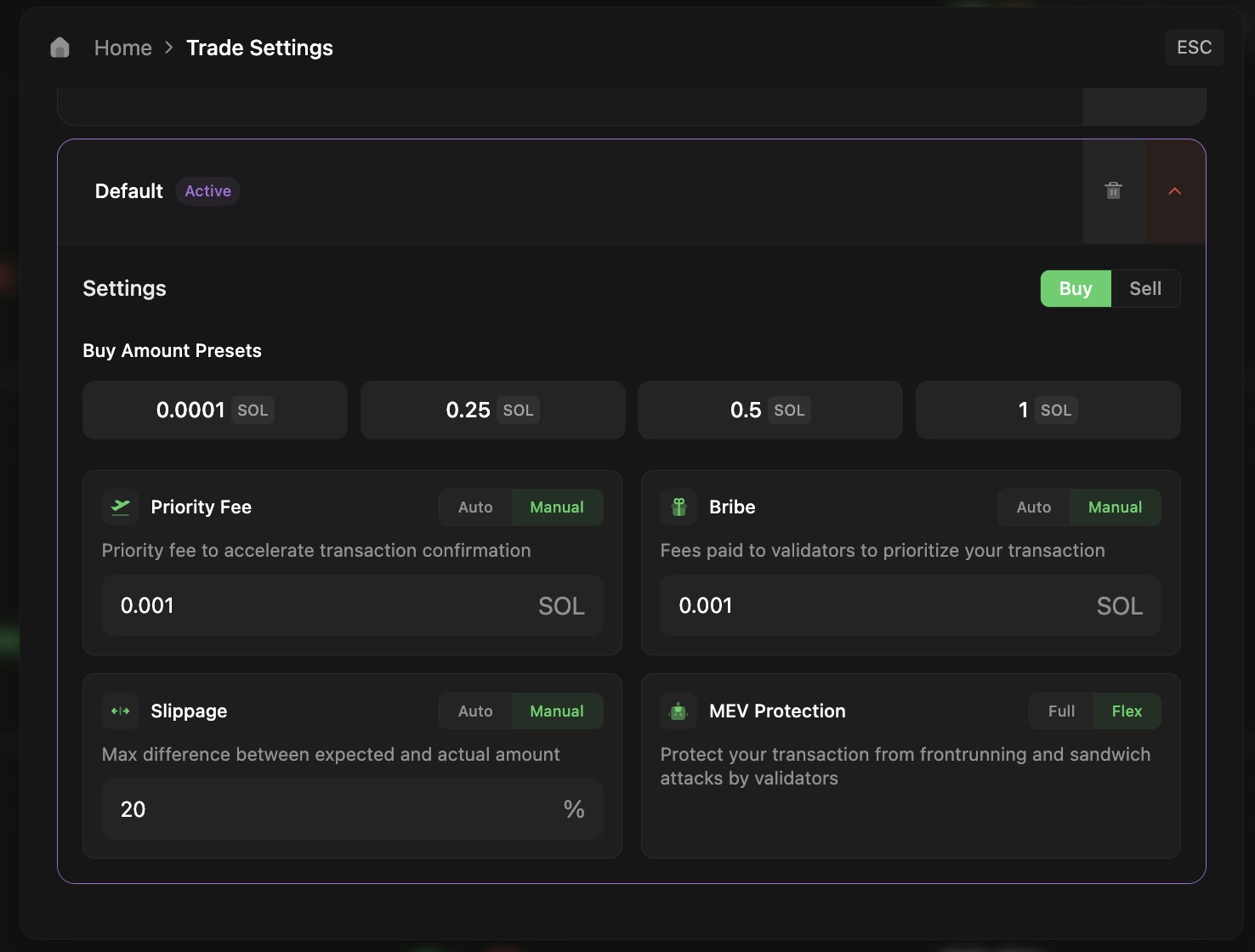 Settings are configured per network, allowing different parameters for Solana, Ethereum, and other chains.