> ## Documentation Index
> Fetch the complete documentation index at: https://docs.lute.gg/llms.txt
> Use this file to discover all available pages before exploring further.
# Friends
> Manage friends and requests
Connect with traders, follow their activity, and build your social trading network on Lute.
## Manage Friends
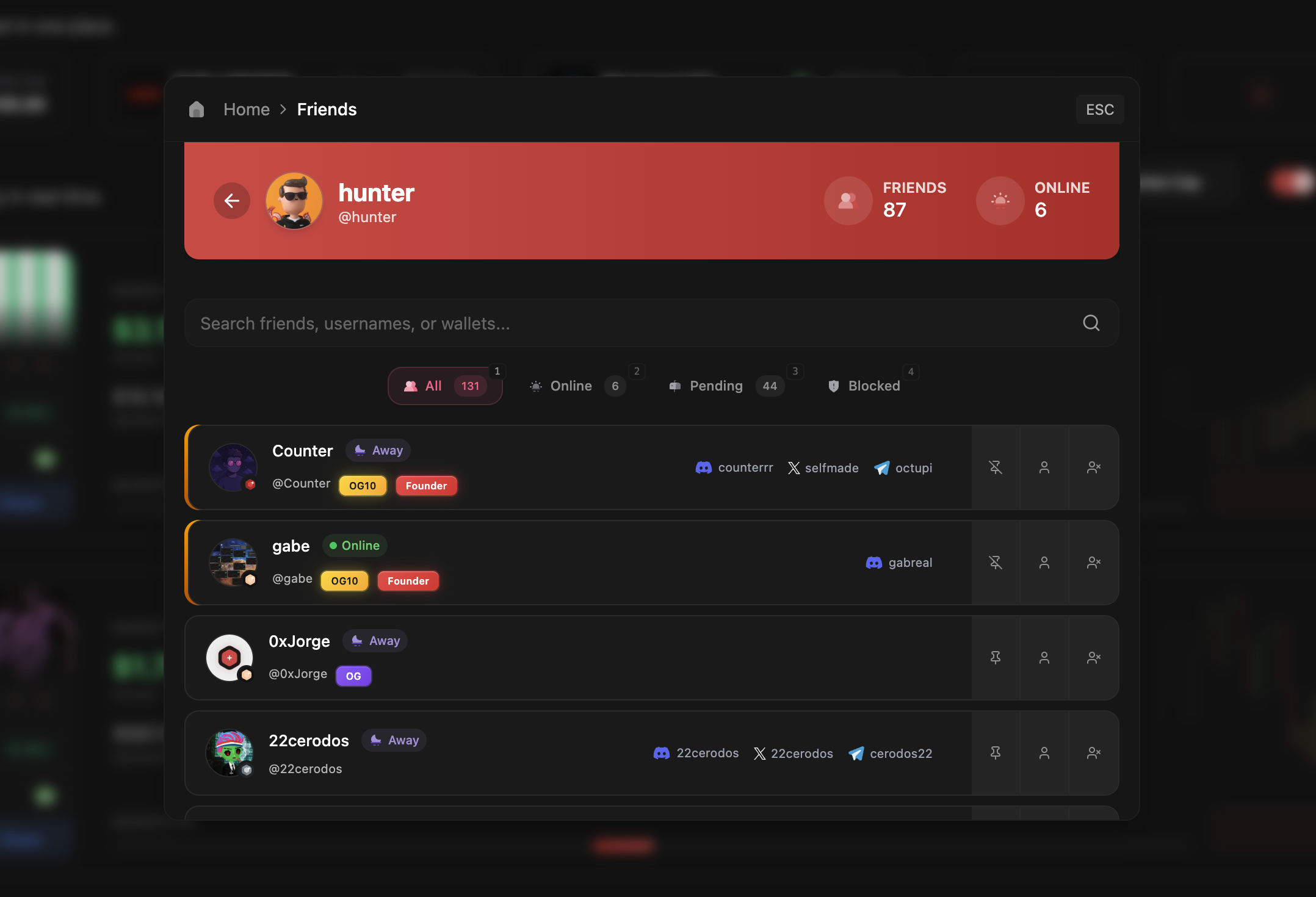
Navigate your friends list with organized tabs and quick actions:
* **All**: Complete list of connected friends
* **Online**: See who's actively trading right now
* **Pending**: Review incoming and outgoing friend requests
* **Blocked**: Manage your blocked users list
Pin important friends to keep them at the top of your list and in your Send quick access.
## How to Access
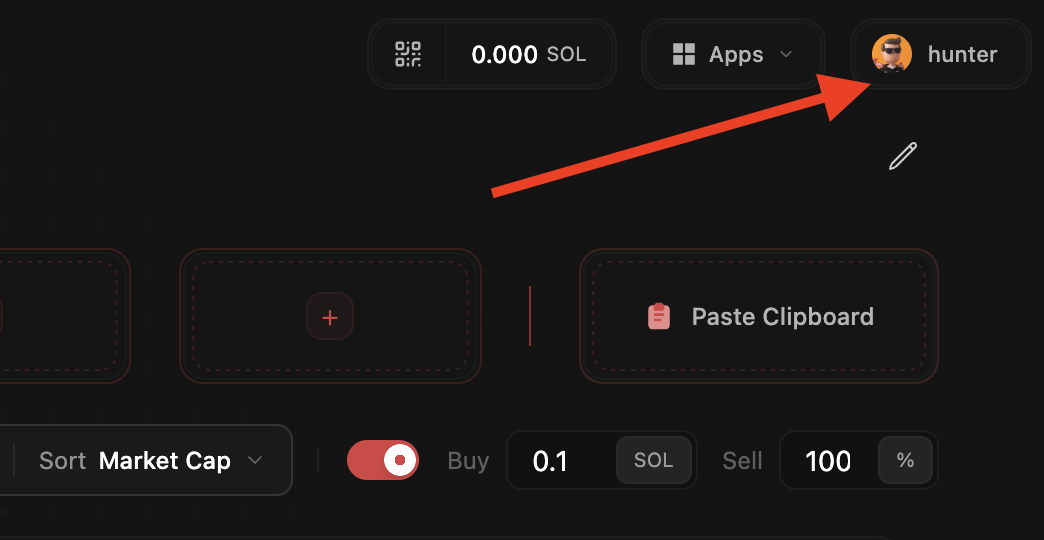
Click your profile photo in the top right corner
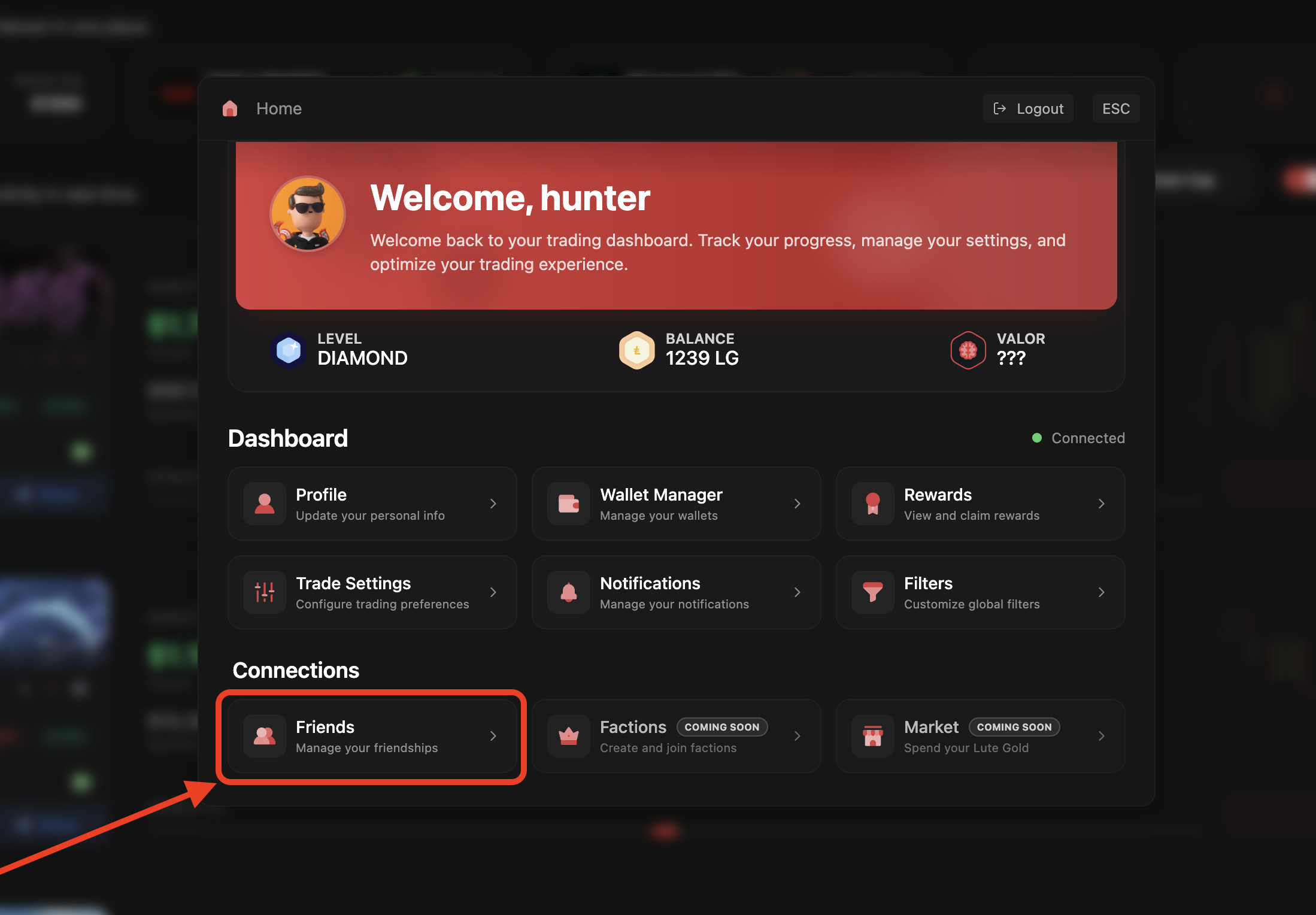
 Select Friends from the menu
 Search, add, and organize your trading connections
 ## Accept Friend Requests
Accept directly from the popup when someone adds you
Review all pending requests in your Friends section
Friend requests appear with a notification badge in your Dashboard to ensure you never miss a connection.
## Accept Friend Requests
Accept directly from the popup when someone adds you
Review all pending requests in your Friends section
Friend requests appear with a notification badge in your Dashboard to ensure you never miss a connection.