> ## Documentation Index
> Fetch the complete documentation index at: https://docs.lute.gg/llms.txt
> Use this file to discover all available pages before exploring further.
# Token Discovery
> Overview of primary pages for token discovery
Understand each discovery surface and how to use them.
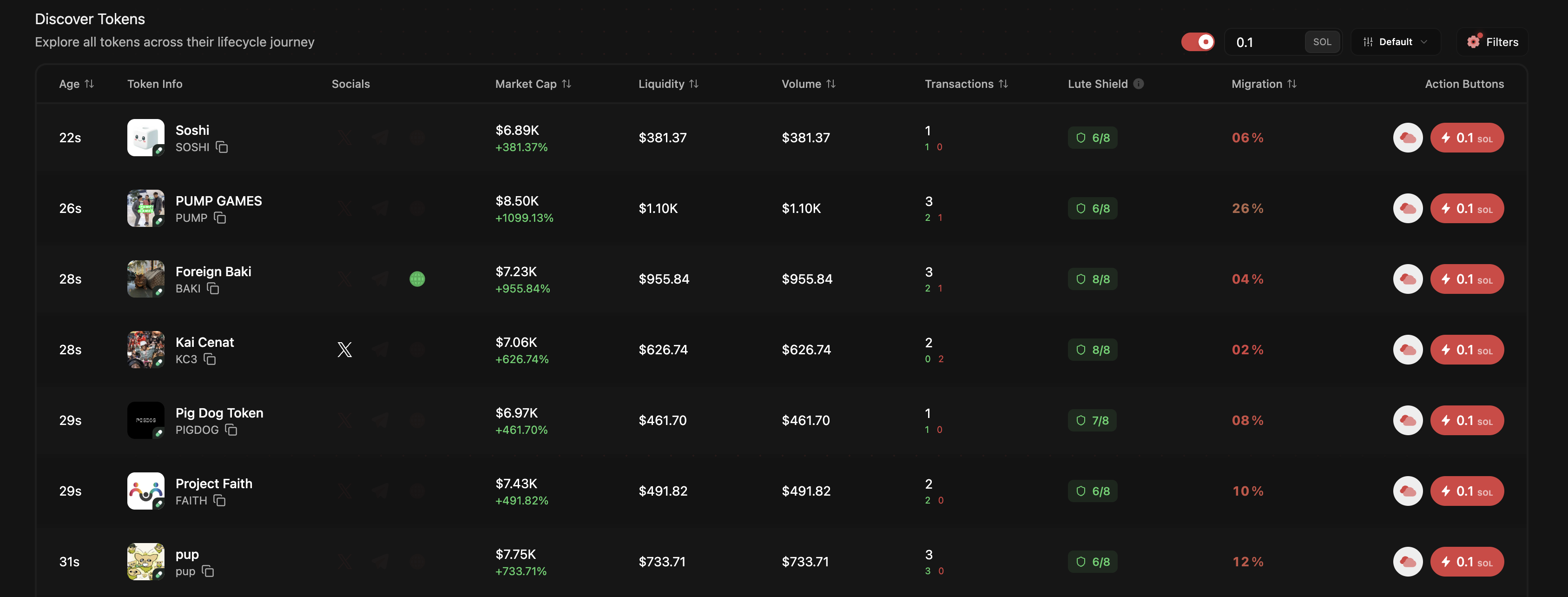
## Discover
Firehose of brand‑new tokens; filter by launchpad/network, market cap, liquidity, and age. One‑tap Quick Buy with a preset size.
 ## Compass
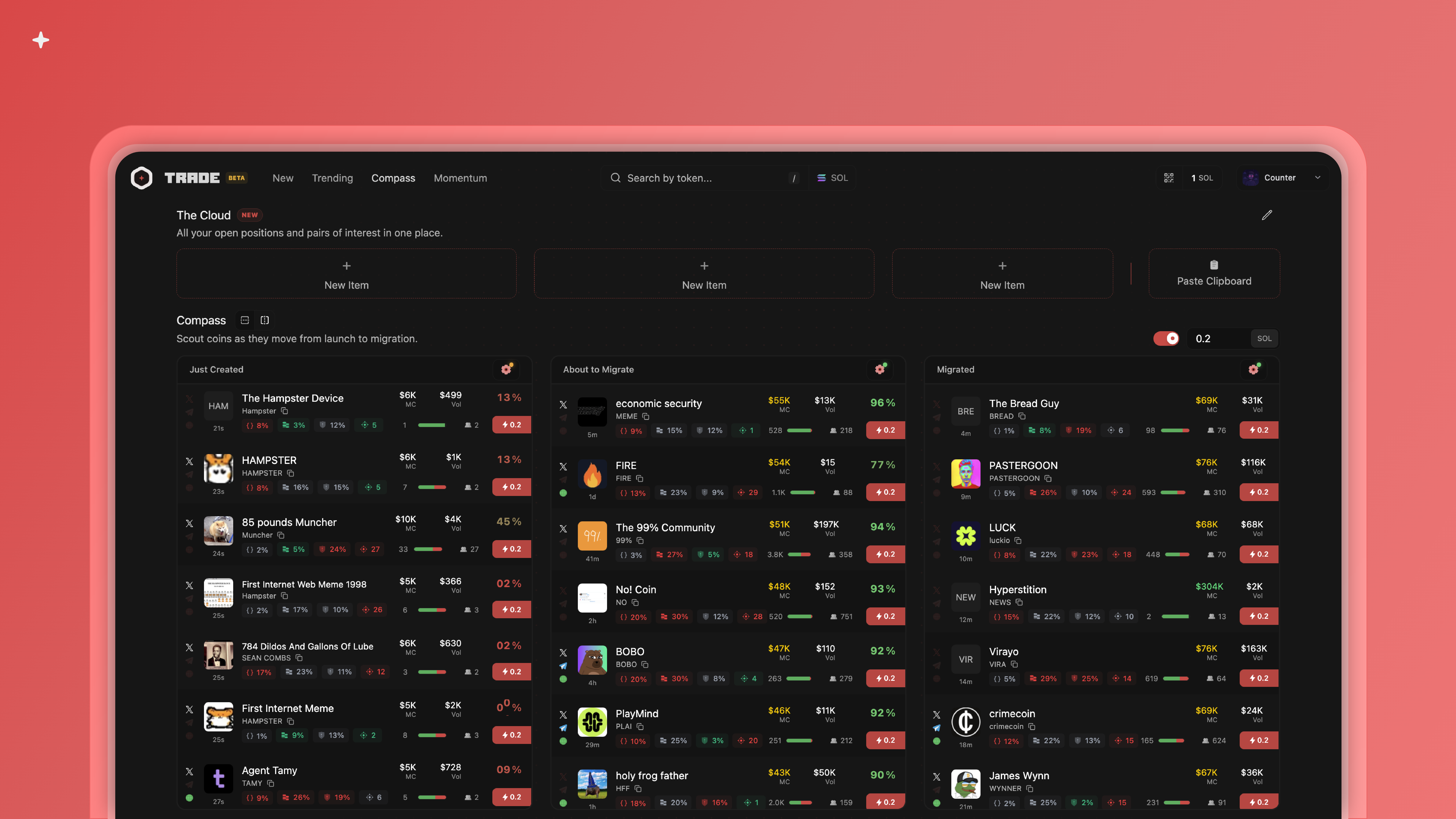
Track tokens from launch → migration → post‑migration with live migration %. Quick Buy everywhere and Pro Mode (hover + B).
## Compass
Track tokens from launch → migration → post‑migration with live migration %. Quick Buy everywhere and Pro Mode (hover + B).
 ## Momentum
Real‑time scanner of what’s moving now using signals like price velocity, holders growth, TPS, volume, and liquidity.
## Momentum
Real‑time scanner of what’s moving now using signals like price velocity, holders growth, TPS, volume, and liquidity.
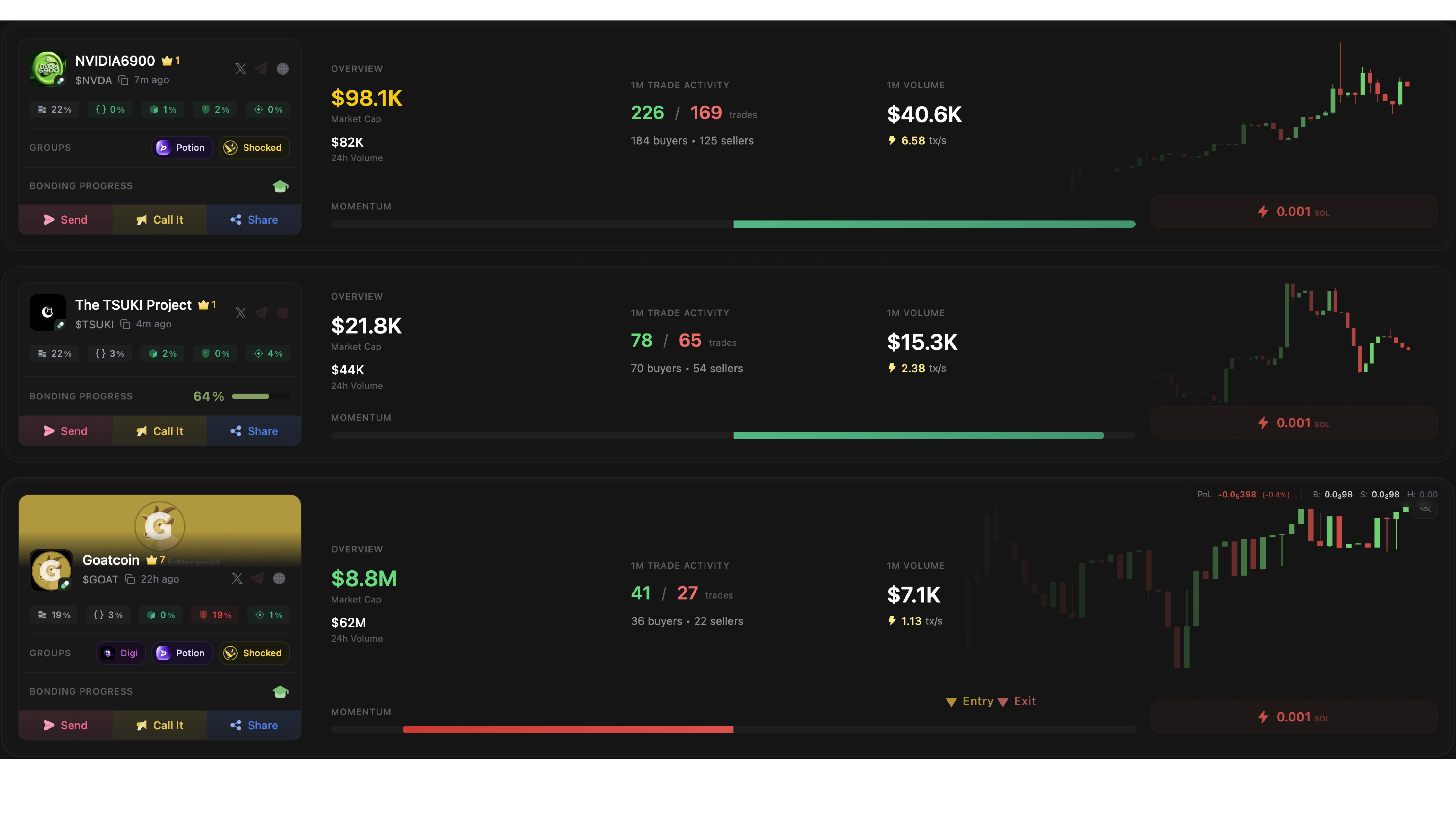 For right‑click quick actions like Send, Call, Share, see Quick Actions.