> ## Documentation Index
> Fetch the complete documentation index at: https://docs.lute.gg/llms.txt
> Use this file to discover all available pages before exploring further.
# Lute Synapse
> Real-time alerts and cross-channel notifications
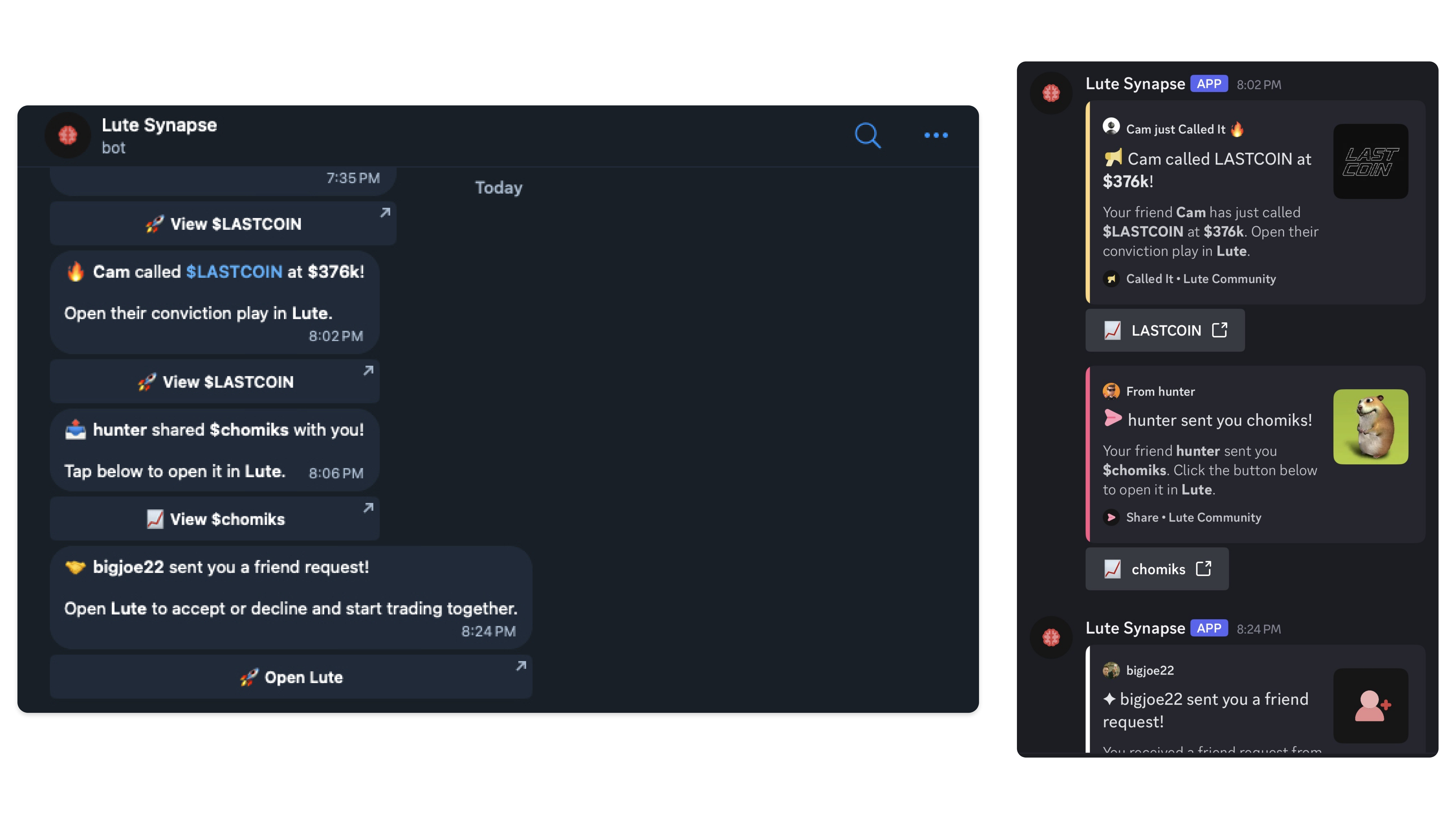
Lute Synapse delivers timely alerts across channels so you never miss critical activity.
 ## What it does
* Real-time notifications for trades, friend calls, and new tokens
* Cross-channel delivery: in-app, Discord, and Telegram where available
* Fine-grained controls per category in Dashboard → Notifications
## Configure Synapse
Go to Dashboard → Notifications.
Enable platform announcements, trades, friend activity, friend calls, new tokens, and Synapse updates.
Select in-app, Discord, or X/Twitter (where available) per category.
Synapse links directly back to Lute so you can click on notifications and instantly go to the chart to buy from your Discord or Telegram
## What it does
* Real-time notifications for trades, friend calls, and new tokens
* Cross-channel delivery: in-app, Discord, and Telegram where available
* Fine-grained controls per category in Dashboard → Notifications
## Configure Synapse
Go to Dashboard → Notifications.
Enable platform announcements, trades, friend activity, friend calls, new tokens, and Synapse updates.
Select in-app, Discord, or X/Twitter (where available) per category.
Synapse links directly back to Lute so you can click on notifications and instantly go to the chart to buy from your Discord or Telegram