> ## Documentation Index
> Fetch the complete documentation index at: https://docs.lute.gg/llms.txt
> Use this file to discover all available pages before exploring further.
# Quick Actions
> Right‑click shortcuts for faster trading
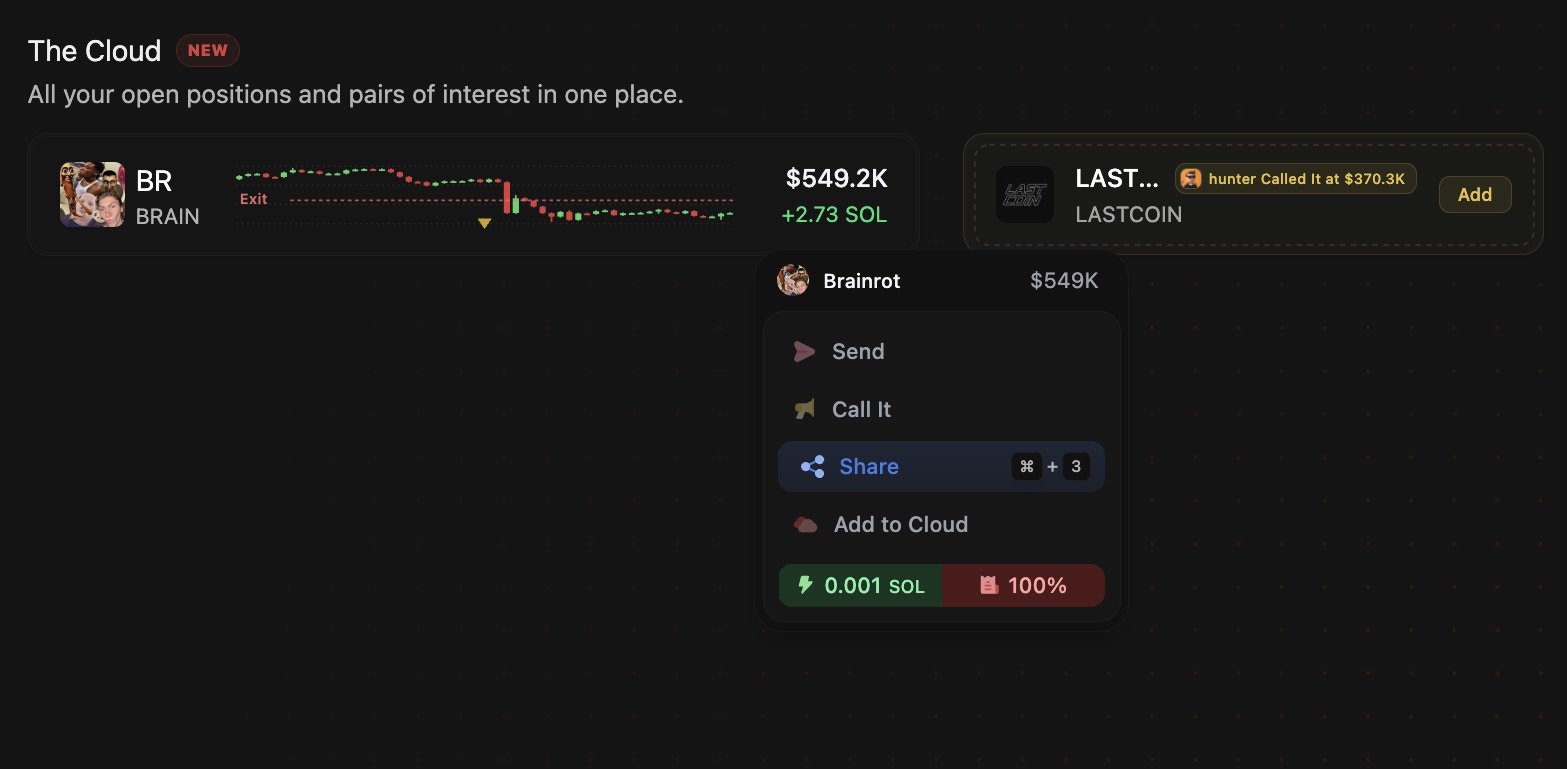 Right‑click any token (lists, Cloud, or token page) for instant actions:
* Send (notify specific friends)
* Call (high‑conviction alert to friends)
* Share (creates a referral link)
* Add to Cloud
* Hide Token
* Quick Buy / Quick Sell
You can use the following quick action keys to save time while navigating Lute
`Cmd + C` to copy a token address with while hovering.
`Cmd + H` to while hovering over a token to hide it.
`B` while hovering over a token to quick buy on enabled pages.
`Cmd + 1` to Send.
`Cmd + 2` to Call It.
`Cmd + 3` to Share.
`Cmd +4` to add to Cloud.
`Cmd + 7` to open Wallet Tracker app.
`Cmd +8` to open Twitter Feed app.
`Cmd + 9` to open Discord Feed app.
`Cmd + S` to open Streamer Mode referral layover.
`/` to open Search.
Right‑click any token (lists, Cloud, or token page) for instant actions:
* Send (notify specific friends)
* Call (high‑conviction alert to friends)
* Share (creates a referral link)
* Add to Cloud
* Hide Token
* Quick Buy / Quick Sell
You can use the following quick action keys to save time while navigating Lute
`Cmd + C` to copy a token address with while hovering.
`Cmd + H` to while hovering over a token to hide it.
`B` while hovering over a token to quick buy on enabled pages.
`Cmd + 1` to Send.
`Cmd + 2` to Call It.
`Cmd + 3` to Share.
`Cmd +4` to add to Cloud.
`Cmd + 7` to open Wallet Tracker app.
`Cmd +8` to open Twitter Feed app.
`Cmd + 9` to open Discord Feed app.
`Cmd + S` to open Streamer Mode referral layover.
`/` to open Search.