> ## Documentation Index
> Fetch the complete documentation index at: https://docs.lute.gg/llms.txt
> Use this file to discover all available pages before exploring further.
# Apps
> Wallet Tracker, Twitter Tracker, and Discord Feed
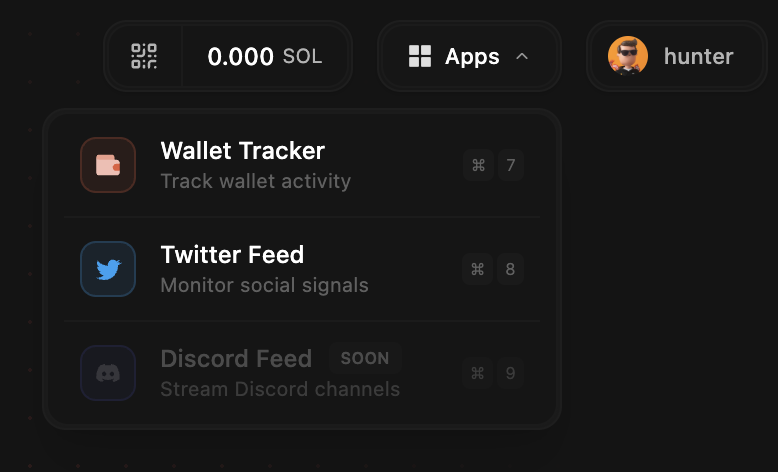 You can pop out any App and make it a draggable window in Lute by clicking the button once the App is open
## Wallet Tracker
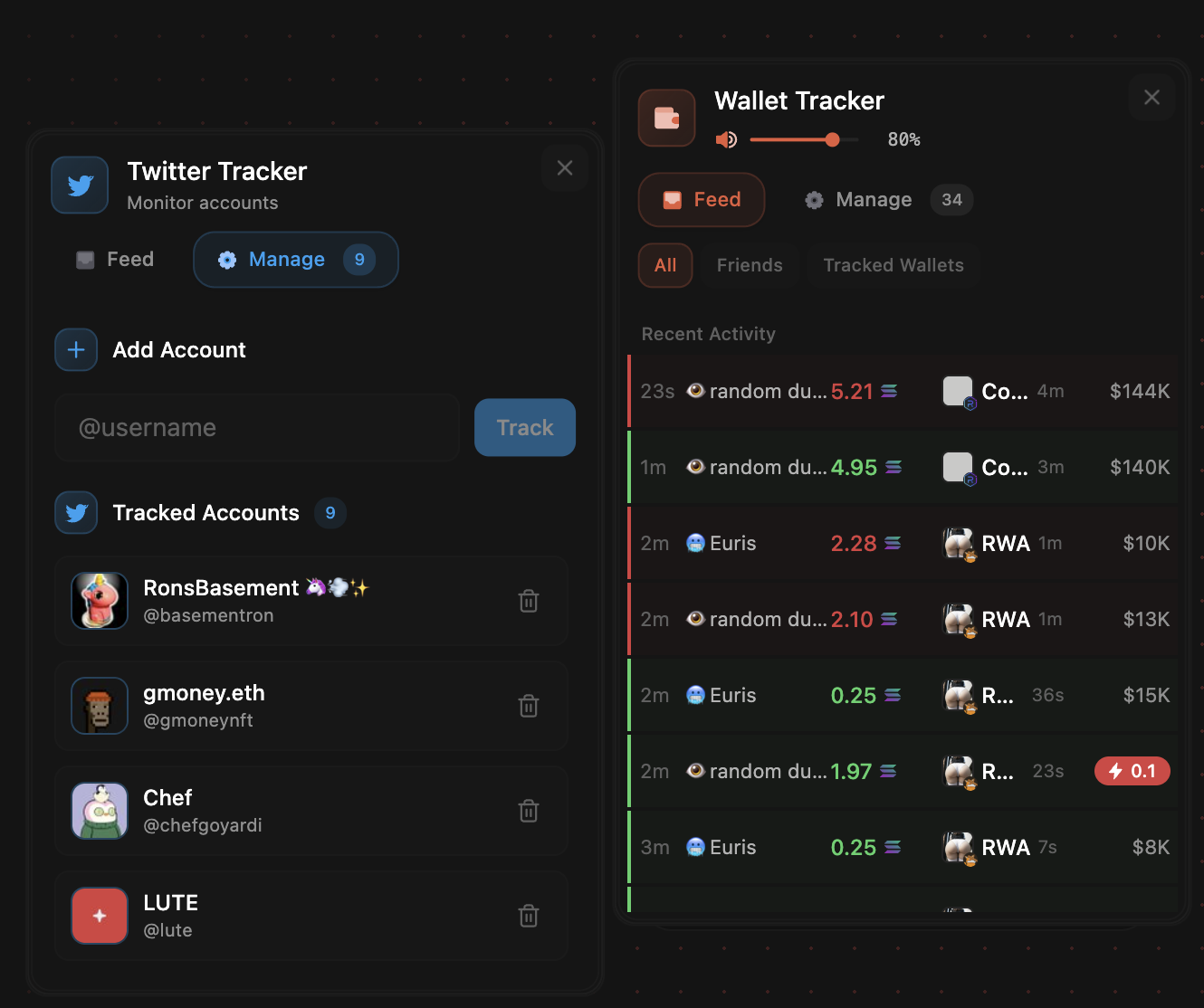
* Track any wallet (plus friends’ public wallets) and get instant trade pings
* Feed vs Manage: View signals in Feed; add/edit in Manage
* Import lists from other platforms; names/emojis and notification states carry over
* Pop‑out: Undock to a draggable window; position anywhere
* Controls: Per‑wallet mute, edit/remove, global notification volume slider
### Import Wallet Tracking List
Lute supports the importing wallet tracking lists from any of the commonly used trading platforms you wish to switch from. Imported lists will retain
their names, emojis, and notification preferences.
Import:
* Open the Wallet Tracker by going to the Apps menu
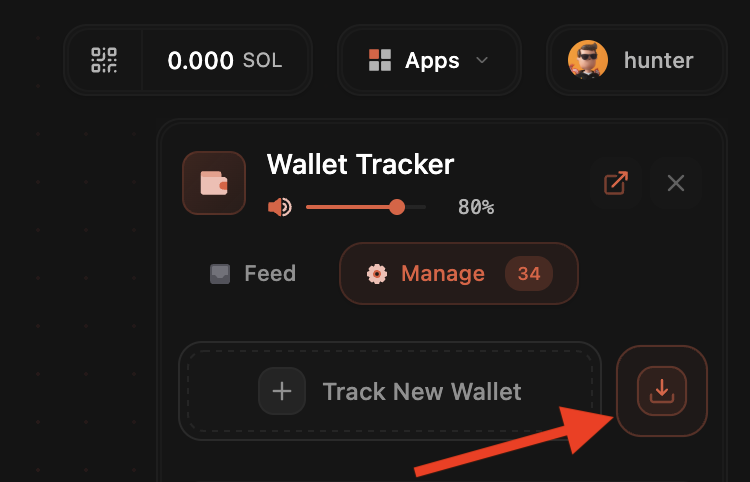
* Click Manage
* Click the Upload icon then paste your wallet list text directly into the text field and click 'Import Wallets'
* Your wallets are now imported and will start populating the Feed as transactions come in
You can pop out any App and make it a draggable window in Lute by clicking the button once the App is open
## Wallet Tracker
* Track any wallet (plus friends’ public wallets) and get instant trade pings
* Feed vs Manage: View signals in Feed; add/edit in Manage
* Import lists from other platforms; names/emojis and notification states carry over
* Pop‑out: Undock to a draggable window; position anywhere
* Controls: Per‑wallet mute, edit/remove, global notification volume slider
### Import Wallet Tracking List
Lute supports the importing wallet tracking lists from any of the commonly used trading platforms you wish to switch from. Imported lists will retain
their names, emojis, and notification preferences.
Import:
* Open the Wallet Tracker by going to the Apps menu
* Click Manage
* Click the Upload icon then paste your wallet list text directly into the text field and click 'Import Wallets'
* Your wallets are now imported and will start populating the Feed as transactions come in
 ## Twitter Feed
* Overlay social context
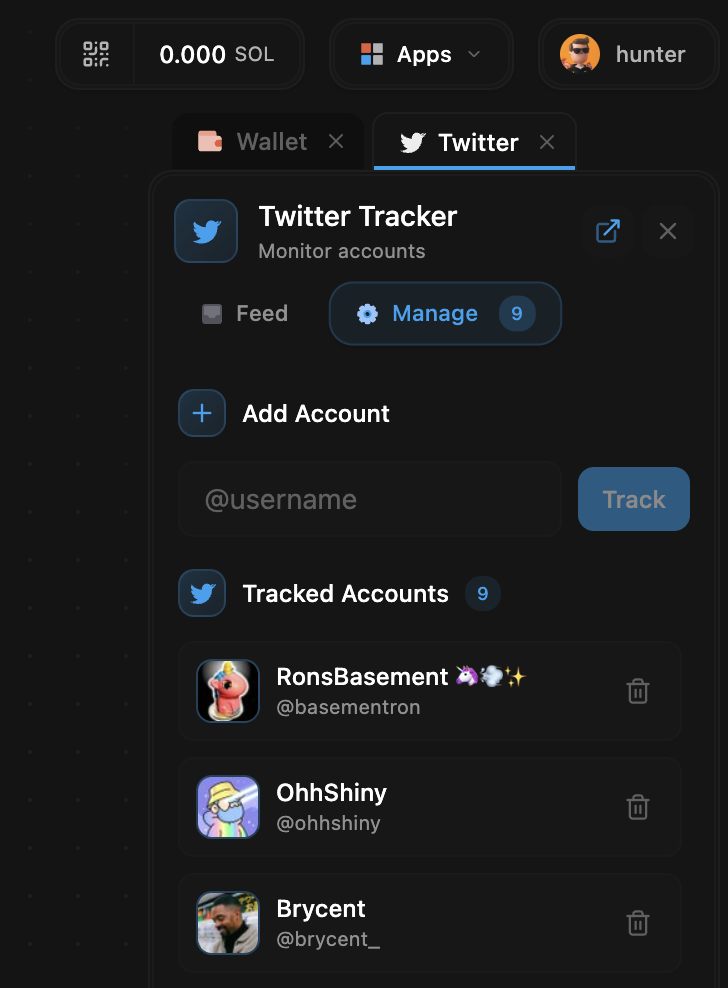
* Manage: Add X (Twitter) usernames to follow
* Feed: Live stream of posts from tracked accounts
* Pop‑out: Same undock/drag behavior as Wallet Tracker
## Twitter Feed
* Overlay social context
* Manage: Add X (Twitter) usernames to follow
* Feed: Live stream of posts from tracked accounts
* Pop‑out: Same undock/drag behavior as Wallet Tracker
 ## Discord Feed (coming soon)
* Follow selected channels/servers inside Lute
## Discord Feed (coming soon)
* Follow selected channels/servers inside Lute